Showing posts with label ways to earn money. Show all posts

What is Google Adsense

Posted by v4veer on Thursday, June 26, 2008

AdSense may be one of the fastest and easiest ways to monetize traffic to your web site whether you have products or services for sale or you simply provide free content to your visitors.

Simply stated, Google AdSense enables website operators to place some code on their site that connects to Googles ad server content database and pulls keyword-relevant advertising onto the web pages. The webmaster gets paid a percentage of the fee that Google receives from the advertiser every time a visitor clicks on an ad. There is no charge for the webmaster to participate in AdSense. All costs are covered by the advertiser who participates in the AdSense sister program called AdWords.

Googles sends out digital robots which use proprietary algorithms to parse the host web page and analyze the content in an effort to determine what keywords are relevant. It reports its findings back to Googles ad server which then serves ads matching those keywords. Given that the entire process is automated, the ad robots do a pretty good job of getting the advertising content right most of the time.

The History of Google AdSense

Google AdSense has its roots in the old Google Content-Targeted Advertising program which they introduced back in March of 2003. Although this program was similar in concept to AdSense, there was no automated way of participating. Each webmaster negotiated a deal directly with Google, and websites that served less than 20 million page views per month were not welcome to participate.

As Google grew, they began to see how much money they were leaving on the table by excluding the smaller sites, which greatly outnumbered the sites serving over 20 million hits that were willing to serve other peoples ads. Their answer to that problem was AdSense which has no minimum traffic requirements and is open to all sites meeting Googles content and decency requirements.

How much can you make running Google AdSense?

The answer to that question depends upon three factors:

1. How much traffic your site draws
2.How many visitors click on your ads
3.How much those ads pay per generated click

With some ads paying as much as $5 or more, its possible that you can generate a serious income with AdSense. There are relatively well documented cases of some people earning as much as $500 per DAY and more. Numbers like that are rare exceptions however. Even so, there is no reason why you cant earn somewhere around $1,000 per month, or more, once you get the hang of it.

How to get started using Google AdSense

Make a visit to Googles AdSense Site (https://www.google.com/adsense/) and sign up. Make sure that you read their Acceptable Use Policy and that you follow their content requirements. Google has their own AdSense Police who will have no problem booting you out of the program if you fail to walk the line.

Using Google AdSense on your site is like collecting free money. Theres no reason not to do it and potentially thousands of dollars worth of reasons to do it.

5 General Steps for Adsense..For Beginner

These are proven techniques for making Google AdSense, which will work on most blogs and websites. There is no secret system, you just have to think smart and put the time and effort into making things happen. Don’t start out on the Google AdSense path and think you are instantly going to be making 1000’s of dollars a week. It isn’t going to happen.
The most important step to making money from Google AdSense is to increase the volume of traffic to your blog or website. Simple ways of doing this is by distributing your articles to ezine lists, article announcement lists, blog carnivals, social bookmarks sites and yahoo groups. For this to work you need to write at least one new article a day, which needs to be of a good quality and interesting.

Create the ad units so that they blend in with your blog. You will need to go into your Google AdSense control panel and enter the hex colour codes from your website or blog. Make sure the text colour; background colour, and link colours all match your blog.

Don’t use borders around the ad unit boxes. Again, you want the boxes to blend, you will have to colour code the borders to match the background so that they become invisible.

Find profitable niche markets, it is important not to choose markets where the cost per click is too low to make it worth your while. I suggest that you do some keyword research and find out roughly what the cost per click is in Ad Words. Usually this will be a good indication as to whether this will be successful.

Keywords are of great importance, you have to make sure that your content is not overstuffed with particular keywords to the point of destroying readability and value. What you need to do is master the art of making sure your articles make liberal use of on-topic keywords, which are likely to generate the most relevant ads. Experts maintain that using keywords with your titles and H1 tags is any excellent way to assist in getting the most relevant possible adds

If you want to make money from Google AdSense, you can and will, but it takes real effort, planning, time and smart thinking. Don’t expect to be making huge amounts of money after 4 or 5 months and a few thousands visitors a month to your site. The world is full of people that expected the world too soon and for too little effort, then gave up without giving Google AdSense a proper chance.

Story of 18 year boy- Earn Online

Posted by v4veer on Tuesday, June 24, 2008

# This nice story was found in digital point forums. The most interesting is not on the amount have been achieved, but how the newbie get the success.

Well here is my short success story. I begin when i was 17 years old trying to find away to make money online, looking at ebooks, doing does stupid surveys, and stuff like that, then i deciding to start my own blog about a topic that i know about a lot. I worked hard on it for several months and Msn was the first search engine to send me good traffic, so i decided to do 2 more blogs about the same topic, but different types. After several months of seo work Msn was sending my 3 sites traffic and was making 5,6,7,8 and up to 16 dollars a day. Then Google pick my site and things starting to get good, and if things couldn’t get better yahoo rank my sites also and the traffic sky rocketed drew the roof. I also put my ads in a better position and my ctr got way better. Now I’m making more then $150 dollars a day in average and its in amazing experience, especially with only 18 years of age.

New Idea for Webmaster

GOOGLE ADSENSE
Google Adsense is in fact some sort of an affiliate marketing program. In Google Adsense, Google act as the agent between the affiliates and the merchants. The merchant, or the advertiser, would sign up with Google and provide the latter with text ads pertaining to their products. These ads, which are in fact a link to the advertiser’s website, would then appear on Google searches as well as on the websites owned by the affiliates, or by webmasters who have signed up with the Google Adsense program.
While one can find a lot of similarities between Google Adsense and other affiliate marketing programs, you can also see a lot of differences. In Google Adsense, all the webmaster has to do is place a code on his website and Google takes care of the rest. The ads that Google would place on your site would generally be related to the content of your site. This would be helpful both for you and for the advertiser, as the visitors of your site would more or less be interested with the products being advertised.
The Google Adsense program compensates the affiliate in a pay-per-click basis. The advertisers would pay Google a certain amount each time their ad on your site is clicked and Google would then forward this sum to you through checks, although only after Google have deducted their share of the amount. Also, the Google Adsense program provides webmasters with a tracking tool that allows you to monitor the earnings you get from a certain ad.
Where do all of these lead us to?
To profits! Affiliate marketing programs and the Google Adsense program plainly work, whether you are the merchant or the affiliate. For the merchant’s side, a lot of money can be saved if advertising effort is concentrated on affiliate marketing rather than on dealing with advertising firms. For the webmaster, you can easily gain a lot of profits just by doing what you do best, by creating websites. And if you combine all your profits from both the Google Adsense program and other affiliate marketing programs, it would certainly convert to a large amount of cash.
Affiliate Marketing and Google Adsense

Do you happen to be a webmaster that needs money for your website? Well if you are a web publisher you’re going to need cash, affiliate marketing may work for you. With affiliate marketing, you may get a lot of cash driving into your bank. Furthermore if your website is rich in great contents, why not get into the Google Adsense program?
Why Affiliate Marketing?
Because affiliate marketing is most likely the best way to earn profits online. Even online retailers can gain from affiliate marketing programs, affiliate marketing actually works for merchants as well as it works for the affiliates.
Simply said, is a liaison or agreement made between two websites, with one site being the merchant’s website and the other being the affiliate’s site. The affiliate agrees to let the merchant promote his products on the affiliate’s site, and the merchant, agree to pay the affiliate in whatever scheme they have agreed into. This would normally mean easy profits for the affiliate, as he would do nothing but place the retailer’s ad on his site. This would also be very favourable for the merchant, as getting affiliates to advertise their goods would be a lot more affordable than hiring an advertising firm to promote their products.
There are a range of methods on how the merchant would compensate the affiliate for his services, and for the webmaster, these methods simply translates to the method by which he would earn easy money. Among the more common methods of compensation are the pay-per-click method, the pay-per-lead method, and the pay-per-sale method. The pay-per-click method is the method most favoured by affiliates, for their site’s visitor would only have to visit the advertiser’s site for them to gain money. The other two methods are better preferred by merchants, as they would only have to compensate you if your visitor becomes one of their registrants or if the visitor would actually buy their products.
Getting takings on affiliate marketing programs does not depend so much on the payment method it does on the traffic generated by your site. A website that can catch the attention of more visitors would usually have the greater chance of profiting in affiliate marketing programs.

5 unique ways to earn more adsense money

If webmasters want income their websites, the great way to do this is through AdSense. There are many webmasters struggling hard to earn some good money per day via their website. But then some of the � � � �geniuses� of them enjoy hundreds of dollars per day from AdSense ads on their websites. What makes these webmasters differs from the other kind is that they are different and they think out of the box.

Those who have been made and they have a lot of useful tips to help those who would like to venture into this field. Some of these tips have encouraged many of the wages in the past and has continued to do so.

Here are some ways proved 5 on the best way to get your Google AdSense revenue.

1. Concentrating on one format of Adsense ad. The one format that worked well for the majority of votes is the Large Rectangle (336×280). This same format have the tendency to result in higher CTR, or the click-through rates. Why choose this format from the many that you can use? Basically because the ads will look like normal web links, and people are used to clicking on them, click on this kind of links. They may or may not know whether he clicks on your AdSense, but as long as there are clicks, then it all to your advantage.

2. Create a custom palette for your ads. Choose a color that goes well with the background of your site. If your site has a white background, try to use as the white color of your ad border and background. The idea of patterns of colors to the Adsense look like it is part of the web pages. Again, this will lead to more clicks from people visiting your site.

3. Remove the AdSense from the bottom of the pages of your site and place them at the top. Do not try to hide your AdSense. Put them in the place where people can see them quickly. You will be amazed how the difference between Adsense sites where you can create your income.

4. Maintain links to relevant Web sites. If you think that some sites are better off than the others, put your ads there and try to maintain and manage. If there are already many Adsense in that particular site, those of you on top of them all. That way visitor will see your ads in the first visit that site.

5. Try it automatically insert your AdSense code into the webpages using SSI (or server side included). Ask your web administrator if your server supports SSI or not. How do you do that? Saves you the AdSense code into a text file, save it as � � �adsense text� �, and upload it to the root directory on the web. Then using SSI, call the code on other pages. This tip is a time saver especially for those who use automatic page generators to generate pages on their website.

These are some of the tips that have worked well for some who want to generate hundreds and even thousands on their websites. It is important to know that all the ads are displayed because it fits in the interests of the people. So on a specific topic should be your primary purpose because the displays will focus on a topic that people will be watching al

Also note that there are many other Adsense with the same topic as you. It is best to think of making a good ad that is somewhat different and unique than the bargain. Every clickthrough that visitors make is an issue for you every click counts by making your AdSense something that people will certainly press.

Evidence given by those who have encouraged their earnings are just guidelines they want to share with others. If they somehow worked wonders to some, maybe it can work miracles for you. Try them in your ads and see the outcome will bring.

If others have done it, there is nothing wrong try it yourself.

info is others, money is yours

AdSense is really a huge impact on the affiliate marketing industry today. As a weak partner merchants have the tendency to die faster than ever and ad networks will lose their customers quickly.
If you are in a losing instead of winning in the affiliate programs you at this time, maybe it’s time to consider putting on the AdSense marketing and start earning some real money.

Google is easy to offer well-written and highly relevant ads that closely chosen to comply with the content of your pages. You do not have to look for them as the search engine will do the searching for you from other peoples � � s source.

You do not need more time choosing a different kind of ads for different pages. And no codes to mess around for different affiliate programs.

You’ll be able to concentrate on providing good quality and content, search engines such as the one who will find the best in the ads to your pages.

You’re still allowed AdSense ads to add, even if you already have affiliate links on your site. It is prohibited, but to imitate the look and feel of Google’s ads for your affiliate links.

You can filter up to 200 URLs. That gives you a chance to block ads for sites that do not meet the guidelines. You can also block competitors. While it is inevitable that Adsense may be competing for space on some Web sites that all other revenues are shared.

Owners of small sites are allowed to plug a bit of a code on their sites and directly relevant text ads that appeal to your visitors appear instantly in your pages. If you have many sites, you only need to apply once. It allows for the fact that applies to many affiliate programs.

The only way to know how much you earn is to try and see. If you want, the only thing you have to do is the code of your site.

The payment rates can vary enormously. The payment you receive per click depends on how much advertisers pay per click to advertise with the use of the AdWords. Advertisers can pay only 5 cents and as high as $ 10-12, sometimes even more than that. You’re earning a part of that money is generated.

If your results remain stagnant, it may help if you are trying to build and easily and conveniently pages, so that ads can visitor� � � s eyes more. They sometimes pay to depart from the usual things that people already are doing. It is also a refreshing sight for your visitor once they see something different for a change.

Publishers also have the opportunity to choose their ads to appear only on a particular site or sites. It is also allowed to demonstrate on a large network of sites. The choice would be, depending on what you think works best for your advantage.

15 ways to earn money from Google Adsense

Posted by v4veer on Monday, June 23, 2008

Google AdSense Tip #1: Find your keywords
Before serving ads on a web page, check its keyword density. A free and advanced tool for finding the most prominent keywords in a page can be found here: SEO Density Analyzer. Copy the most important keywords to a text file ([web page name]-Google AdSense-keywords.txt).

Google AdSense Tip #2: Improve your keywords
Get keyword suggestions from Overture Search Inventory and from Google AdWords Sandbox. Get new keywords that can help you improve your ad relevance. Enter the keywords from [web page name]-Google AdSense-keywords.txt and save the suggestions to [web page name]-Google AdSense-suggestions.txt.

Google AdSense Tip #3: Keep your website focused on a theme
Use the keyword suggestions to enhance your web pages and to build theme-based content. And also try to get your keywords into the anchor text of your incoming links as much as possible. Don't forget that Google Google AdSense is keyword-targeted advertising: Google Google AdSense bases its advert topics on your websites content, this means that content-rich websites of a popular topic should attract a large amount of ads.

Google AdSense Tip #4: Write a new page every day
One of the best tips is to add a new page to your web site every day. The more content you have, the more visitors you will get. Put an Google AdSense unit on each and every content page of your site. But where? You will find more about that from the next Google AdSense tips.

Google AdSense Tip #5: Choose the right Google AdSense format
Wider formats are successful because the ads are compact, easy to read and are complementary to the content. The top three Google AdSense formats are:

336x280 large rectangle

300x250 medium rectangle

160x600 wide skyscraper


Another successful format is the 468x15 horizontal ad links, that can be placed under your navigation bar.

Google AdSense Tip #6: Color tips
When creating your Google Google AdSense ads it is recommended to use the color scheme and style of your website so that the ads blend in well. Ads without background color and borders perfom better than ads within borders with background color.

Create a custom Google AdSense palette:

border color = background color of your web site

background color = background color of your web site

link color = blue, color of your links

url color = black, #999999

text color = black, #333333, color of your main content

You can also rotate your color palette: select multiple color palettes that blend with your site to create variety.

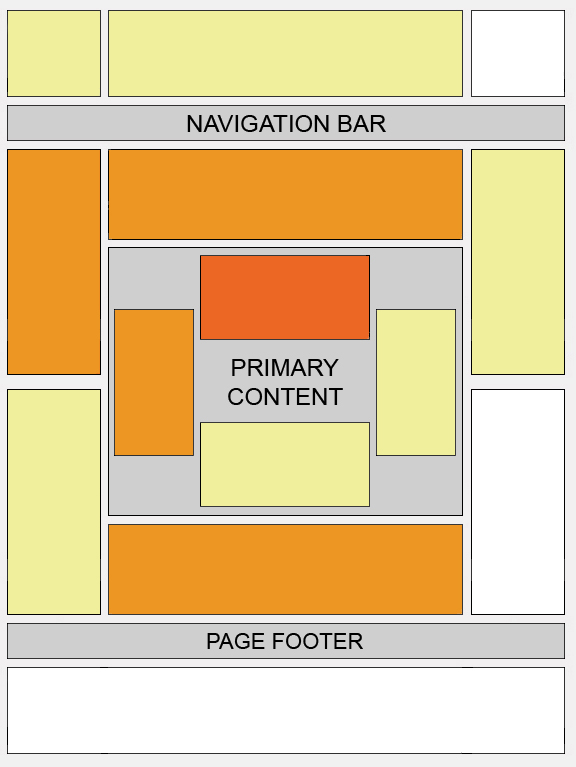
Google AdSense Tip #7: Position tips
Visitors tend to look at the big headlines to see if your page is worth reading. If you get them interested, they will read the text and look for your navigation links.

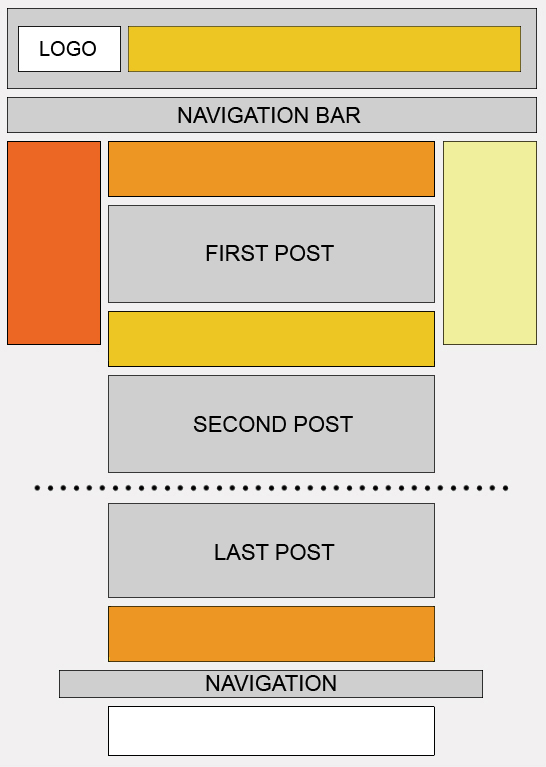
Place the Google AdSense ads in a prominent place around the top/left part of your page or under your headlines, where your visitors are most likely to look at.

If you have an article page with a long body of text, the bottom of that article is a good place for Google AdSense ads because your visitors read the text and then they want more resources.

Google AdSense Tip #8: Increase the number of ads
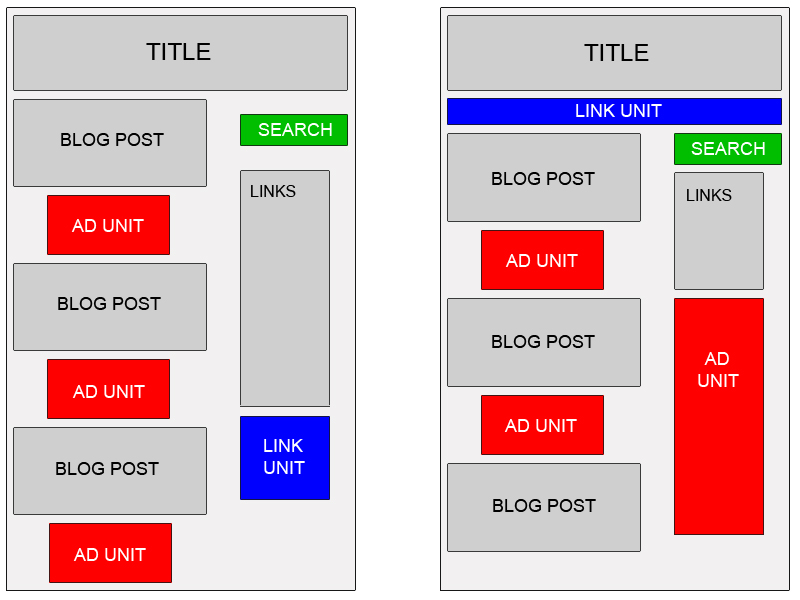
If you have a lot of text on a page, use multiple Google AdSense units. You can use up to three Google AdSense units on a page, two Google AdSense search boxes and one unit of ad links.

Link units allow the user to refine what they're interested in. So if they may not be interested in specific ads on your page, they might be interested in a particular topic, and by clicking on a link unit and a link in the link unit, they'll be able to specify that they're interested in that specific topic and get a lot more options and variety on the ads that might appear.

Google AdSense for Search allows visitors to search Google.com or your sites (up to 3 domains). You earn money whenever they click on the ads that come up on the search results. If you click the Open search results in a new browser window checkbox in the Google AdSense for Search settings, you won't lose your visitors.

Google AdSense Tip #9: Preview Google ads
You can find out what ads will be served by Google Google AdSense if you install Google


Google AdSense Preview Tool, a very simple tool available only for Internet Explorer 6.0. Click to advertiser sites without generating invalid clicks, and easily add their URLs to your URL filter list. Because Google AdSense uses geo-targeting, Google serves different ads for other countries. Instead of faking your IP or travelling abroad to test your ads, use this Google AdSense tool to see what ads see your visitors from France, Germany or other countries.

It's possible there are no Google Google AdSense adverts available for your webpage. Hide Public Service Ads, using alternate colors or images. Make sure you include the image in a simple html file as a link (use target="_top"). The image size should be the same as the dimension of Google AdSense units. In the alternate url box, enter the absolute url of the html file.

Read more about alternate ads.

Google AdSense Tip #10: What not to do
Don't click your own ads

Don't ask others to click on your Google ads

Don't manually change Google AdSense code

Don't place Google ads on sites that include prohibited content (e.g.: adult sites)

Don't employ cloaking, hidden text or farm links

Don't use Google AdSense ads on the same page with similar ads (e.g.: Yahoo Publisher Network)

Google AdSense Tip #11: Show images above or next to your ads
Placing images above Google AdSense ads is not necessarily prohibited by program policies. However, depending on the method of implementation this could be considered encouraging users to click on ads. So you should include a border line between the ads and the images. Don't show specific products in your images, in order not to mislead the visitors. Just use generic images that will increase the visibility of your ads.

Google AdSense Tip #12: Use section targeting
Use section targeting to emphasize some content in your page. On your site, place this code where you want to emphasize.

Content you want to emphasize.

If you want some content to be ignored, use

Google AdSense Tip #13: Alternate the colors of your ads
Google AdSense allows you to have up to 4 color variations for each variable for which you can specify color. You should do that if you put Google AdSense ads on pages that receive many impressions from the same visitors (for example forums) to reduce ad blindness. For example:

google_color_border = ["628098","628098","000000","000000"];

google_color_link = ["000000","BBB90C","BBB90C","628098"];

google_color_url = ["000000","628098","000000","000000"];

google_color_text = ["628098","628098","000000","000000"];

Great for overcoming ad blindness.

Google AdSense Tip #14: Your Google ads should be visible
Make sure your text ads are visible to the surfers in all screen formats. If you put the ads in a table give sufficient breathing room, i.e. proper cell padding and cell spacing to make the ads stand out from the rest of your content.

Google AdSense Tip #15: Use Google AdSense channels
You can categorize the content of your website into channels and then track your performance. This way you can experiment with different types of ads and see which is performing the best. Instead of buying an Google AdSense tracker, you can enter the most important pages in your site and see how they are doing. Create up to 200 channels for Google AdSense.

How to get more traffic on your blog

When you blog for money you need to create your own content (and lots of it!), implement advertisement programs like Google AdSense and WidgetBucks, and last but not least – you need traffic.


In our offline lives we dread it, but online we embrace it. I want to give you 5 ways to start driving traffic to your blog today. With a little time and patience, you will slowly start to increase your viewer ship.

(In no particular order)

5.) Post comments on other blogs.

Blogs are everywhere – there’s certainly not a shortage of them. You should have no problem finding other bloggers in your niche that are popular and interesting. Bookmark those that you like, follow their topics daily, and if you find something that sparks your interest – comment.

Become a participating voice in the community. The more interesting your comments are, the more likely your peers will follow you to your blog. And who knows – you might stand out among the crowd and be recognized by the author, which can spin off into better opportunities.

4.) Register with blog networks like: Technorati, BlogCatalog, and MyBlogLog

It’s important that you get your blog out there for others to see. You can start the process by submitting to search engines, but that’s just the beginning. Technorati, BlogCatalog, and MyBlogLog are just a few of the high profile blog networks on the web. Register with them, network with other people in your releated area, and get your word out.

When you register with these services remember a couple of things:

1.) Create a detailed profile. Let people know a little bit about you and draw them in. Without that personal interaction people may flee quickly.

2.) Tag your blog properly. Tags are very important – they’re usually one or two word descriptions of your blog. So for example my blog would fall under categories like: Money, Business, and Finance. Dig around the specific service and look for popular tags and try to use those for your blog. It allows people who are interested in these topics to easily find your site.


3.) Register with several forums.

Do a Google search for forums that are related to your niche and register. Try to be an active voice in the community. People will flock to you if you’re interesting. Not only that but it allows you to find out what others are doing and what makes them appealing.

When you register with a forum, make sure to fill out the profile, similar to the blogging services. And equally as important – make a signature that is a direct link to your blog. Your signature is shown in every post that you make – helping you gain visibility. This is all the more reason to create thought provoking discussions.


2.) Social Bookmarking and Article Submission.

Social networking, bookmarking, and article submissions are all the rage today – don’t let it pass you by. Some of the major networks include delicious, Furl, and of course, Digg. These sites will allow you to tag, bookmark, and submit articles that you think are interesting. What’s more interesting than your own work? People should know about it so go spread the word.


1.) StumbleUpon

StumbleUpon really falls into tip #2, but I decided to break it away from the pack because it provides quicker results. Like the rest of the social networking sites, you create a profile and network with others. But what makes StumbleUpon so darn unique, is that you can “stumble” thousands of sites that you’re interested in by the click of a button. So what does that mean for you? Well, you can stumble your own site. By doing this you get into the Stumble rotation, and any people that you network with can stumble across it as well.

In my experience StumbleUpon can bring great surges of traffic for short periods of time. Due to the nature of the service, you’re likely to get overlooked more than not; however, those that do stop – tend to stay. And if they like the site, they can rate it and review it for all the friends in their network to see. Are you getting the picture here? Your viewer ship has the potential to explode!

As with most things in life, there’s no silver bullet for getting traffic. It takes a lot of research, careful planning, networking, patience, and time. If you have what it takes and start using my recommendations, you will definitely start to see an increase. Hopefully that increase in traffic will help you blog for money.

Posted in: | | |

How to place Adsense on you blog

Let's do a quick recap up to this point in case you have some catching up to do.

1.) Do you know what AdSense is?
2.) Are you familiar with the terms: blogging and bloggers?
3.) Have you successfully setup your very own blog with the Blogger service?
4.) Do you have an understanding of Google's Terms of Service so your account doesn't get banned?

If you answered no to any of those questions, simply follow the link to my post explaining in more detail before you continue on. Otherwise, it's time to put AdSense on our blog and start making money (with some patience, of course)!

The great thing about Blogger is it makes it dead simple to get started. First, head over to Blogger and log into your account. When you do that, it should automatically bring you to your “Dashboard”. Here's a picture of my current dashboard:


To get started, simply click on the “Layout” link on the bottom right of your Dashboard summary and you'll see something similar to this:


What you're seeing here is a high level breakdown of your web design. Most sites (like my own) are composed of a header, menu, content, and a footer (not shown in my picture). To get AdSense up and running on your blog, click any of the dotted areas that are labeled: “Add a Page Element”.


Once you do that, you'll get a pop up (make sure any anti-pop up software is disabled) with many options to choose from. From here, click on the AdSense section button: “Add To Blog”. The icon is marked with dollar bills (Oh yeah!).


We're almost home...

Now you have a screen that let's you choose format options and colors. It even gives us a nice little preview to save us time later on! We'll dissect these options more in future articles, but for now keep the defaults.


Hit the “Save Changes” on the AdSense window - it should close automatically. At this point you are all set! You can click on the “Preview” button on the original page to view your changes or simply refresh your blog. You also have the ability to move the AdSense up or down - or move it to a completely different page element altogether! (Just make sure you preview your changes before you save)

I wasn't lying when I said you don't have to be a web guru to get this setup, was I? Now you have the tools setup to pull in some extra revenue (hopefully a steady stream). Well, not quite. This isn't a get-rich-quick-scheme. It's going to take some time, patience and hard work (I saw you roll your eyes). Nothing comes easy, but if you stick around we can get there together.

how to earn more from google adsense program

One word, “experimentation”. The only way to increase adsense income is to fiddle with your template. Basically, what you need to do is see what your currently earning and tweak everything on your blog. There is a little more than that, but this is what will increase your income when everything else is in place. If this is a little cryptic, I will try and clear everything up. I will give you the answers to a few questions you should be answering yourself.

How much content do you have?

This is a major problem with many adsense income sites I see. Many people think they can create a site and make money. Many bloggers go into this state of mind that they can make money from a handful of pages on there site. News Flash: You will never make any real money with a handful of articles on your site. If you landed on a site for some kind of info your researching, you will be turned off by the fact that you’ve read all the pages in 5 minutes.

Remember, many people on the internet scan so 10 pages of content can be read in 20 minutes and shorter for most. This leads me to the point I want to make about return visitors. These visitors that come back again and again, are the basis of all income. They love to read content and they like it to be updated. If you write more content and increase the number of pages on your site, you will increase traffic and revenue. This goes beyond traffic because you will be creating an authority site that will give you a more legitimate look. Since many people are afraid of links leading to viruses, this will ease them into trusting you and the adsense on your site.

What is the quality of your content?

This continues from the amount of content on your site. If your site has low quality content, you will have the “x” clicked on your visitors internet explorer. If you have content that is of low quality, contains bad grammar, and incorrect information, you will lose the trust of your readers and lose money. People will not take the chance to click on links on a site they think is suspicious.

Who is your audience?

This is another problem people don’t realize. I’ll give you an example of this problem because you have probably seen this before. My partner/brother, created a blog about, “brain theory”. He is not a professional blogger and he has no SEO or keyword research skills but he still wanted to create it and hope for an audience. Needless to say, he had many problems but still got a little traffic. This traffic was not converting. Now, I understand that a few visitors will not give you any money but he was not getting any money at all. When he investigated his ads, they where so off topic, they wouldn’t get any clicks ever! Some of the links were for blogging because his title had the word blog in it since his site was a blog. It was just a description but it affected almost all the ads.

To fix this problem there are a few things that can be done. First, you can fix the words you write. Make sure ONLY the main key words you want in your ads are in your title tags. This will help when google bot scans your content for relevancy. To go one step further, you can add tags in your template that will direct the bots to the content you want them to scan. This way, you can close your body content in these tags which will change the ads by only focusing the bots on your keyword rich (and correct) content.

How to use Google Adsense

Google AdSense is, without a doubt, the biggest “player” out there when it comes to monetizing your website. By following the tips presented in this article, you will be able to maximize your Google AdSense earnings as well as avoid mistakes which can get you in trouble.

Alright then, since I’m not a big fan of long/boring introductions, let’s start focusing on what’s really important:

The first steps

1) Sign up for Google Adsense

2) Read the AdSense Policies

3) Read the AdSense Terms and Conditions

4) Visit their official blog (AdSense.blogspot.com) for updates

5) For general questions you may have, visit the AdSense help center (google.com/AdSense/support)

6) If there are still issues you are concerned about, ask them directly.

Adding the AdSense code to webpages

7) Log in to your account and visit “AdSense setup”

8.) Select “AdSense for content”

9) Follow the customization instructions

10) Copy the “Your ad code” and paste it into the source of any page where you want the ads to appear

AdSense placement

11) Use the AdSense heatmap

12) Put the ad which receives the most clicks first, since your first ad will show the most expensive ads

13) Place ads above the fold

14) Site navigation and other links should go below the fold. After all, you want to highlight the ads, don’t you?

15) Use the Medium Rectangle (300 x 250)/Large Rectangle (336 x 280) ad units if possible, since they seem to work best

16) Also try the Skyscraper (120 x 600)/Large Skyscraper (160 x 600) ad units on for size

17) Remember that the first ad unit will contain the highest-paying ads

18) Take a look at sites similar to yours and try things you find interesting regarding their AdSense placement out yourself

19) Ask other webmasters for opinions regarding your ad placement

20) If you are not sure if Google allows something in terms of ad placement, tell them what you intend to do before acting

AdSense placement for forums

21) Take the AdSense heatmap for forums into consideration

22) Place a Medium Rectangle (300 x 250)/Large Rectangle (336 x 280) ad unit in the welcome message users who are not logged in receive.

23) Place a skyscraper above the fold, preferably on the left side

24) Place ad units near the first post so that they get noticed by returning visitors, who are used to your forum’s design and overlook ad units placed at the top of the page, for example

25) Enable image ads, so that you increase the chances of getting CPM ads, which are great for forums, since they usually have a low CTR

26) Avoid placing ad units on the top of the page. Why? Since they would show the highest paying ads which would go to waste since users are accustomed to your forum’s interface and simply won’t click

27) Try placing a leaderboard after the last post, so that it gets noticed by the users who finish going through the content that page has to offer

28) Don’t place ads in a manner which negatively affects the user experience. You would only end up losing far more than you gain in the long run

AdSense placement for blogs

29) Use the AdSense heatmap for blogs

30) Blend an ad unit with your post and place it at the beginning of the post if it is a relatively short one.

31) Also consider blending an ad unit at the middle of a post for longer entries

32) As with forums, avoid placing ad units at the very top of the page. An ad which looks like an ad will not receive clicks. It’s as simple as that.

33) Try placing ad units at the end of a post in order to give your reader another option after having gone through the content

Color pallets

34) Don’t just stick to one color scheme if you have a lot of returning visitors. Instead, rotate colors in order to avoid ad-blindness.

35) Try blending your ads by making the border and background color of the ads the same with the background color of the page.

36) On the other hand, many people seem to obtain results by going with colors which stand out against the color of the background.

Possible scenarios

37) If your background is light then, according to Google, the ads within the content should blend in

38) If the background is dark, then the ads within the content can complement or contrast the background color, aside from blending in

39) If your background is light then the ads adjacent to the content can blend in with the background or complement the background color

40) If the background is dark, then the ads adjacent to the content can complement or contrast the background color

Adding sites to your filter list

41) Log in to your account and visit “AdSense setup”

42) Click on “Competitive Ad Filter”

43) Select a product sub-tab and click on “Add/Edit Sites”

44) Add the URLs of the sites you want to add to your filter list

45) Click on “Save changes”

Keywords

46) Include the keyword(s) you are targeting in the title

47) Place those keyword(s) within header tags

48) Use tags such as to emphasize keywords

49) When possible, repeat the keywords you wish to target, as long as the quality of your content is not affected

Avoid common mistakes which can get you banned

50) Don’t click your own ads

51) Don’t ask others to click your ads

52) Don’t offer any kind of incentive for clicking ads

53) Don’t use elements such as arrows to direct attention towards the google ads

54) Don’t place misleading images next to ads

55) Don’t alter the AdSense code

56) Don’t join traffic exchange programs which can produce fake impressions

57) Don’t display more than 3 ad units on any given page

58) Don’t display more than 3 link units on any given page

59) Don’t display more than 3 referral units on any given page

60) Don’t display more than 2 search units on any given page

61) Don’t display ads in e-mails

62) Don’t integrate the AdSense code into any kind of software

63) Don’t display ads on sites which contain popups

64) Don’t display ads which can be confused with the Google AdSense ones

65) Don’t display ads on pages without content

66) Don’t create pages with clearly useless content just for the purpose of showing ads on them

67) Don’t give away any details as far as your AdSense stats are concerned. You are, however, allowed to say how much money you make overall.

68) Aside from “advertisements” and “sponsored links”, don’t use other labels

Link units

69) Keep in mind that you only earn money when the visitor clicks on the link unit as well as on an ad within the link page

70) Make link units a part of your website’s navigation

71) Make sure that the color of the text is the same as the color of your website’s links

72) Remove the borders and make sure that the background of the link units is the same with the background of the website (if the navigation part of your website has a different background, then the background of the link unit placed there should be similar to that)

73) Add a link unit at the end of an article so that it can represent an option for readers if they want to learn more about a certain topic

Making money from AdSense referrals

74) Encourage your readers to join AdSense. While with the traditional AdSense ads, you are not allowed to tell people to click, with the AdSense referral program, calls to action are allowed

75) Place the AdSense referral button or text link where it is relevant. If you are running a website related to making money online, then yes, promoting AdSense makes sense. On a website about gardening, however, you can only imagine what the outcome could be in terms of profits

76) Create a page explaining what Google AdSense is all about rather than just placing the code randomly on the page

77) Help people make money. If your referrals make money, you make money, it’s as simple as that. If one of your referrals sends you an e-mail with questions about how to maximize AdSense earnings, be prompt and helpful. Together you can make the AdSense referral program a win-win situation

78) Try all sorts of text links and buttons until you find out what works best for you

79) When it is relevant to the article, invite the readers to join AdSense (or to visit the page where you explain what it is all about) if they are not members yet


AdSense for Search

80) Make “AdSense for Search” a part of your website’s navigation

81) Add the search box at the end of a post so that users can perform a Google search in case they haven’t found what they were looking for

Adding the AdSense for search box

82) Log in to your account and visit “AdSense setup”

83) Select “AdSense for Search”

84) Customize your search box

85) Copy the “Your AdSense code” and paste it into the source of any page where you want the search box to appear

Implementing AdSense for Search results on your own pages

By doing this, you will be able to have the results shown on a page you will create, rather than having the users taken to google once they perform a search. Here is what you have to do:

86) Create the page where you want the results displayed

87) Log in to your account and visit “AdSense Setup”

88) Select AdSense for Search

89) Select “Open results within my own site”

90) Enter the URL of the page you have created

91) See what other options you would like as far as AdSense for Search is concerned

92) Copy the “Your search box code” and paste it into the source of the page where the search box will be displayed

93) Copy the “Your search results code” and paste it into the source of the page where the results will be displayed

AdSense for Feeds

Note: this program is still in beta and, at the moment of writing, applications are not accepted. Keep these tips in mind, however, as they apply to RSS advertising in general and you can definitely make use of them if you intend to use AdSense for Feeds in the future.

94) Syndicate the entire post if you want to monetize your feed. You have two options. On the one hand, you can syndicate a part of the post while the full version is only available on your website. In other words, if people are interested and want to read more, they visit your website. Basically, you are “advertising” your posts through the feeds. If they seem interesting, people will click and visit your website, and if they are not, they won’t. It’s as simply as that. On the other hand, if you want to monetize your feed directly through programs such as AdSense for Feeds, then you should syndicate the entire post

95) Make sure that the feeds contain useful information. If you want to make money from RSS advertising, then you need subscribers. And guess what, people don’t follow your feeds if the content isn’t worth it

96) One ad per feed will do the job, don’t go overboard. People aren’t exactly keen on following feeds which contain advertisements up to the point where the user experience is affected

97) Don’t make updates too short. You do realize that a few lines of text and an ad don’t exactly qualify as a useful update, do you?

98) Place a visible “Subscribe via RSS” button on your website in order to increase subscriptions

99) Have a section on your website which explains what a reader has to gain by subscribing to your RSS feed

100) Encourage visitors to subscribe to your RSS feed if they find your website useful at the end of each post

AdSense for mobile

Special policies

Aside from the standard policies, there are also other requirements which need to be met in order to participate in the AdSense for mobile program:

101) All webpages which will display such ads must be mobile-compliant and be written in a server-side language such as PHP (no standard webpages)

102) Only one ad unit is allowed per mobile webpage

103) A double ad unit can only be displayed at the bottom of the page (you can, however, display it above the footer)

104) After the user clicks, no interruptions which prevent the adveriser’s landing page from being displayed are allowed

Implementing the ads

105) If your website qualifies, then all you can start implementing ads right away:

106) Choose the “Single” or “Double” (remember, “double” ad units may only be displayed at the bottom of the page) ad size

107) Choose “wml”, “xhtml” or “chtml” as the markup language

108) Choose the color of the ad

109) Just as with regular ads, define channels (you will receive a separate report containing the performance of your mobile ads)

110) Choose the scripting language( “PHP”, “CGI/Perl”, “JSP” or “ASP”)

111) Copy and paste the code for the mobile ad units

Google AdSense myths

112) “The guy selling his ebook said that he is earning hundreds of thousands of dollars through AdSense by working a couple of minutes per day” – Why on Earth would a guy who is earning that much want to tell you his “secrets” for a coupld of bucks? It’s about time to wake up and realize that you can’t make that much money without investing time and efforts.

113) “Two websites with about the same number of visitors/impressions will have similar AdSense earnings” – Not by a long shot. There are a lot of variables such as the ad-blindness of the target audience which need to be considered so that such an assumption is baseless.

114) “I can just find successful websites and copy their ad placement” – Again, no two websites are the same. You need to test, test and test some more until you find something which works for you.

115) “I’ll just find myself some outrageously-high-paying keywords and I’m on my way to easy profits” – Sorry to burst your bubble there, but millions of other people are thinking the same thing. Are they all gazillionaires?

116) “This isn’t working for me. I’m giving up.” – If you expect success with Google AdSense to come overnight, then maybe you are better off giving up.

117) “I’ll just create hundreds of websites and there you have it” – And how do you expect to manage them? Zero multiplied by one thousand is still zero.

118) “I have to be extremely tech-savvy if I want to make money with AdSense” – Can you read and write? Do you know how to publish a website? Well, that’s enough to get you started.

119) “Displaying AdSense ads on your website will help you rank better” – AdSense has nothing to do with your rankings.

120) “You have to be talented at designing your website if you want to earn money with AdSense” – Can’t you just hire someone for the job?

121) “Managing a large website is complicated and I won’t have time for anything else” – Ever heard about delegating?

122) “Once I have reached my income goal, I can sit back and relax” – You do realize that earnings can and will drop if you don’t manage your website, do you?

123) “I can just buy a few AdSense-ready websites and wait” – You have a lot of waiting ahead of you if you actually think that such a strategy can work out for you

Feel free to bookmark this article for later reference and, if you’ve found this resource useful and don’t have an AdSense account yet, signing up using the following banner would definititely be appreciated:

18 Facts to know before going for Google Adsense

Getting your AdSense account suspended is not the end of the world but it's obviously something to avoid if you can. So it was while I reviewed the AdSense Terms and Conditions of Use that I thought it might be worth highlighting some key areas to watch out for. Under no circumstances should this replace your reading the small print thoroughly yourself, which you can do at Google, but this summary may serve as a timely reminder of your key responsibilities:

1. Be aware that AdSense update their conditions fairly regularly and it is your responsibility to know about any changes.

2. Multiple accounts held by the same individual or entity, are subject to immediate termination unless expressly authorized in writing by Google.

3. Modifying javascript or other programming provided by Google is forbidden unless authorized in writing.

4. Each page on your site that displays an AdSense for Search Box must also contain content related to your site. A maximum of two Google AdSense for Search Boxes may be placed on a page.

5. No Google Ad may be placed on any non-content-based pages.

6. No Google Ad or Google Search Box may be displayed on any domain parking websites, pop-ups, pop-unders, or in any email.

7. Elements on a page must not obscure any portion of the ads, and the ad colors must be such that any ad elements, including text and URL, are visible.

8. A single link unit may be placed on each Web site page, in addition to the ad units and search boxes.

9. Each web page that contains a Referral Button must also contain other content related to your site. You can not promote or facilitate Referral Events in connection with your site. A single Referral Button per product may be placed on a page, in addition to the ad units, search boxes, and link units.

10. You may display up to three ad units on each Web site page, but it is forbidden to display any Ad Unit on a page that contains Ads associated with another Google AdSense customer (e.g Your Web hosting company), unless authorized to do so by Google.

11. You are not permitted to display on the same web page as any AdSense program element, advertisements that an end user would reasonably confuse with a Google advertisement. Further, you are not permitted to display on any web page that receives content based Google Ads, any non “Google content targeted advertisements. Although you may sell ads directly on your site, it is your responsibility to ensure these ads do not mimic Google ads. If you have elected to receive Google search services, this would include other search services on the same site and non-Google query-targeted ads. Affiliate or limited-text links are allowed.

12. If you have elected to receive Google search results on a site then you agree that Google will be the exclusive provider internet search services on that site.

13. You shall not authorize or encourage any third party to directly or indirectly generate queries, referral events or clicks on any Ad link, search result or referral button.

14. It is forbidden to display Ads, links or referral buttons on an error page, registration page, thank you page, in any email, or on any web page that contains any pornographic , hate related , violent or illegal content.

15. It is forbidden to disclose Google Confidential Information without GoogleĆ¢€™s prior written consent. Which includes:

a) all software, technology, programming, specifications, materials, guidelines and documentation relating to the program.

b) click through rates or other statistics. However, you may accurately disclose the amount of Google gross payments to you.

16. In order to avoid associations with copyright claims, website publishers may not display Google Ads on web pages with MP3, Video, News Groups, and Image Results.

17. Web pages may not include incentives of any kind for users to click on ads. This includes encouraging users to click on the ads or to visit the advertisers' sites as well as drawing any undue attention to the ads.

18. This goes without saying really but you should never click on your own Google Ads.

These points are merely a summary guide and should not be solely relied upon. Should you feel that there is any ambiguity in how you are utilising AdSense then it is always best to double check with Google support staff.


Related Articles